
InvoiceTemple: Invoice billing
Digitkode AppsBusiness
4.8331.00 Reviews
- Version
- 15.0
- Installs
- 100.00K
- Age Rating
- Everyone
Screenshots
Our Review of InvoiceTemple: Invoice billing
 Analysis by Appyee
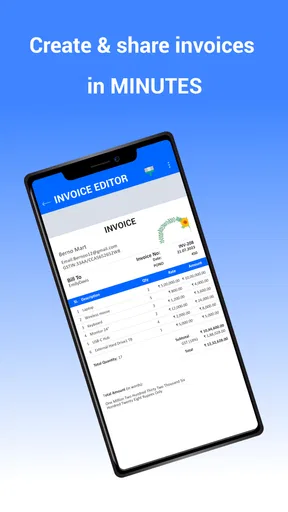
Small-business admin rarely feels difficult because of one complicated task. It becomes exhausting through repetition: writing the same customer details again, working out totals, preparing a receipt after payment, and trying to make every document look consistent. InvoiceTemple: Invoice billing is built around removing that recurring paperwork from a phone. I found its strongest value in the moments when I needed to create a professional-looking invoice quickly without opening a full accounting system.
This is a free business app from Digitkode Apps, aimed mainly at freelancers, independent tradespeople, consultants, and small operators who need invoices, estimates, and receipts in one place. It has an Everyone age rating, works on devices running Android 7.0 or newer, and the current release is version 15.0. The app has reached over one hundred thousand installs and holds a 4.8 average from around seven thousand ratings, which suggests that its straightforward approach is working for a substantial group of users.
My overall impression is practical rather than glamorous. This is not the sort of tool I would choose to replace a complete bookkeeping platform. It is more useful as a fast document-making companion: open it, prepare the right form, check the totals, and send or save the result. If that is the problem you want solved, the simplicity is a real advantage. If you need deep financial reporting, inventory control, or a full view of business performance, the same simplicity becomes a boundary.
Why this kind of invoice app earns its place
I find the appeal of a focused invoice app is less about adding another business tool and more about keeping small jobs from turning into loose ends. This section looks at why estimates, invoices, and receipts can deserve their own simple workflow, especially when the same person is doing the work and handling the paperwork. It also sets up the practical question of whether that lighter approach fits your business better than a broader system.
The repeated paperwork is the real problem
For a small business, an invoice is often created after the work is already finished, when attention is low and the next job is waiting. That is exactly when a complicated workflow becomes annoying. I do not want to build a spreadsheet from scratch, remember which fields belong on a receipt, or search through old messages for a previous estimate. I want a guided way to turn the details in my head into a document that a customer can understand.
The useful distinction here is between accounting and billing. Accounting software tries to organize the financial life of a business. InvoiceTemple focuses on the customer-facing documents that support getting paid. That narrower purpose makes it easier to approach when the immediate task is “I need an invoice now,” rather than “I need to reconcile an entire month of transactions.”
It also suits businesses where the person doing the work is the same person handling administration. A mobile-first tool can be more convenient than waiting until returning to a desk. A cleaner workflow means fewer unfinished invoices sitting in notes, fewer informal payment requests, and less risk that a customer receives a document with missing basics.
What I would use it for
I would use the app for a small set of recurring documents: an estimate before work begins, an invoice when the job is complete, and a receipt after payment. Keeping those stages separate is important. An estimate helps set expectations, an invoice asks for payment, and a receipt confirms that payment has happened. Treating them as interchangeable can create confusion, so I appreciate that the app is designed around these different billing needs.
A useful example is a self-employed repair technician who visits a customer, agrees on a price, and later needs to bill for labor and materials. Instead of writing the amount in a message and promising to send a proper document later, the technician can prepare the estimate while the details are fresh. Once the work changes or finishes, the document can be adjusted into the appropriate billing step. That reduces the chance of forgetting a charge or misremembering what was agreed.
The same pattern works for a photographer, tutor, cleaner, designer, or consultant. The app is most convincing when the business has relatively clear services and does not need a large operational system behind each sale.
Getting to a useful first document
The first setup should be treated as an investment in future speed. I would begin by entering the business identity and contact information carefully, then review how the document presents the seller and customer details. A small mistake in the business name, email address, or payment instructions can make every later invoice look unfinished, so this is one place where rushing defeats the purpose of the app.
Next, I would prepare the information that tends to repeat: common services, standard descriptions, and usual rates. Even when the app makes document creation simple, the biggest time saving comes from not retyping the same wording for every customer. A short, specific line such as “two-hour on-site consultation” is more useful than a vague entry like “service,” because it gives the customer a clearer record and makes later checking easier.
I also recommend creating a personal checking routine before sending anything. I look at the customer name, document type, line descriptions, quantities, totals, and payment terms in that order. This takes less time than correcting an invoice later. The app helps prepare the document, but it cannot know whether I entered the right number or selected the right customer.
Estimates are more than preliminary invoices
One of the less obvious benefits of having estimates beside invoices is that it encourages a cleaner conversation with the customer. I can describe the expected work before it starts instead of sending a final amount that feels unexpected. For jobs that may change, I would use the estimate as a reference point and make any additional work visible before turning it into a final bill.
That workflow is particularly useful for freelancers who normally rely on chat messages. A message can confirm an amount, but a structured estimate is easier to review later. It gives both sides a clearer starting point and reduces the chance that a customer remembers a different version of the agreement.
The trade-off is that the app should not be treated as a substitute for a carefully written scope of work. If a project has milestones, revisions, deadlines, or complex conditions, I would still keep those terms in a proper agreement. The estimate can support that agreement, but it should not carry every contractual detail by itself.
A realistic day with the app
Imagine I run a small home-maintenance service. In the morning, a customer asks for a quote for several repairs. I prepare an estimate with separate lines for labor and materials rather than one unexplained total. The customer approves the work, and during the visit one extra repair becomes necessary. Before adding it, I explain the change and update the billing details instead of quietly surprising the customer at the end.
After finishing, I create the invoice from the confirmed work. Before sending it, I compare the lines with my notes and check that the customer information is correct. When payment arrives, I prepare a receipt so the customer has confirmation. The benefit is not just that each document exists; it is that the sequence creates a simple record of what was proposed, what was completed, and what was paid.
For a business with only a few jobs each week, that may be enough structure. It avoids the loose collection of screenshots, handwritten amounts, and message threads that often becomes difficult to review at tax time or when a customer asks a question months later.
Where the app reduces friction
The main friction it removes is document assembly. I do not have to design an invoice layout, decide which basic sections to include, or start with a blank page. That matters because blank templates invite inconsistency. One invoice may contain a detailed description, while the next has only a total and a customer name. A dedicated billing app encourages a repeatable format.
It also reduces the mental switch between working and administering. A mobile tool is useful when the relevant information is available immediately after a job. I can capture the details while I still remember what was done, rather than reconstructing the work from memory at the end of the week.
Another practical advantage is separating estimates, invoices, and receipts from general notes. Notes are excellent for rough thinking, but they are not a reliable long-term billing workflow. A purpose-built document gives the customer something clearer and gives me a more consistent way to review what I have issued.
The biggest time saving comes from turning a repeated billing routine into a checklist rather than a design project. That is why I see this app as more valuable for frequent small jobs than for a single occasional invoice.
Checking totals still requires care
Automation can make arithmetic easier, but it does not remove responsibility. I would always review quantities, rates, discounts, and any tax-related information before sending a document. A polished invoice with an incorrect total is still a problem. The app can organize the entries, while the user must decide whether the entries reflect the actual agreement.
This is also where business habits matter. I would avoid mixing personal notes with final billing details, and I would keep a separate record of payments and expenses when the business requires more detailed financial tracking. The app can be the front end of a simple workflow, but it should not be the only place I depend on for every financial record.
What the free model means in practice
The app is free to download, which makes it easy to test without committing to a subscription at the start. It also includes optional in-app purchases ranging from a few dollars to amounts in the low thirties per item. I would check which functions are included in the free experience before building my entire business process around it, especially if I need advanced document handling or expect to create a high volume of billing paperwork.
That pricing structure is neither automatically good nor bad. For someone issuing occasional invoices, the free entry point may be all that is needed. For a growing business, the important question is whether the paid options remove a genuine bottleneck or merely add convenience. I would test the core workflow first: create a document, review it, save it, and use it with a real customer scenario before paying for extras.
Where it is weaker than full accounting software
InvoiceTemple is not the right choice when invoicing is only one part of a much larger financial operation. A business with stock, purchase orders, payroll, recurring subscriptions, multiple staff members, detailed tax reporting, or bank reconciliation will probably outgrow a focused document tool. In those cases, a full accounting platform is better because the invoice connects directly to the rest of the business records.
It is also less suitable for teams that need shared approval processes. If several people must review an invoice before it reaches a customer, a dedicated collaborative system may provide stronger controls. A solo professional usually benefits more from speed than from layers of approval, but a growing company may need the opposite.
Compared with a spreadsheet, the app should feel more approachable for standard billing because the document purpose is already defined. A spreadsheet can be more flexible, but that flexibility brings formatting work and more opportunities to break formulas. Compared with a word processor, the app is better suited to repeatable billing, while the word processor may be preferable for highly customized proposals. Compared with a full accounting service, the app is lighter and faster, but it will not offer the same depth of financial oversight.
Small habits that make the workflow safer
I would keep service descriptions specific enough that a customer can identify the work without asking for clarification. I would also separate labor, materials, travel, and other charges when those categories matter. One combined line is faster, but several clear lines make disputes easier to resolve and help me check whether I charged for everything.
For estimates, I would include a clear validity period or other relevant condition in the accompanying communication if the business needs one. I would not assume that a generated document automatically explains every term. The app can create the billing document, but the surrounding customer conversation still matters.
Finally, I would use a consistent naming habit for customers and documents. Even a simple system, such as using the customer name and job reference in my own notes, makes it easier to find the right document later. This is a small operational detail that a store summary cannot show, but it has a major effect once several jobs are active at the same time.
Who should choose it, and who should skip it
I think it is a strong match for a freelancer or micro-business owner who wants to issue professional invoices from a phone without learning a large accounting suite. It is especially appealing when the business has repeatable services, a manageable customer list, and a need to move quickly between estimates, invoices, and receipts.
I would be more cautious if the business operates across several jurisdictions with complicated tax requirements, sells a large catalog of products, or needs detailed reports for an accountant. In those situations, I would choose a broader accounting solution and possibly use a simple invoicing app only as a temporary stopgap.
The Everyone rating makes it broadly accessible, and the Android 7.0 minimum means it can work on many older devices. Still, compatibility alone does not determine whether it belongs in a business workflow. The more important test is whether its document-focused approach matches the way the business actually operates.
My final judgement
After looking at the app as a working tool rather than just a document generator, I see a clear purpose: make routine billing less scattered and less intimidating. Its best quality is the short path from a completed job to a usable estimate, invoice, or receipt. That can save meaningful time for someone who currently relies on notes, messages, or manually formatted files.
The limitations are equally clear. It should not be mistaken for a complete accounting system, and users still need to verify amounts, customer details, payment terms, and any business-specific requirements. The optional purchases also deserve a practical trial before they become part of a long-term process.
With a 4.8 average and more than one hundred thousand installs, it has earned enough attention to be worth testing for the right audience. I would recommend InvoiceTemple: Invoice billing to a solo worker who wants a focused way to prepare everyday billing documents and reduce administrative friction. I would skip it in favor of full accounting software if the business needs deep reporting, inventory, team controls, or integrated financial management. For the small operator standing outside a customer’s home or finishing a project at a café, though, its focused approach can be exactly what makes invoicing finally feel manageable.
Verdict
Strengths of InvoiceTemple: Invoice billing
- Quick invoice creation with reusable customer and item details.
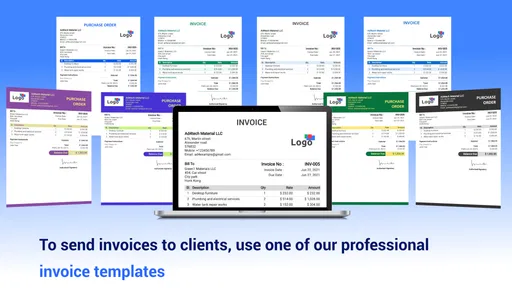
- Professional templates help small businesses look more organized.
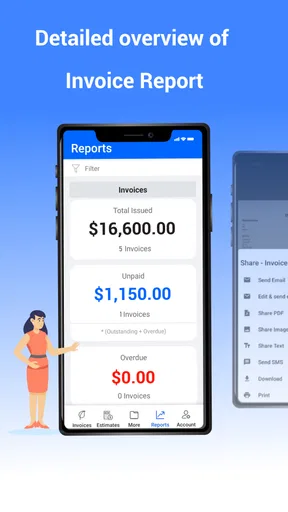
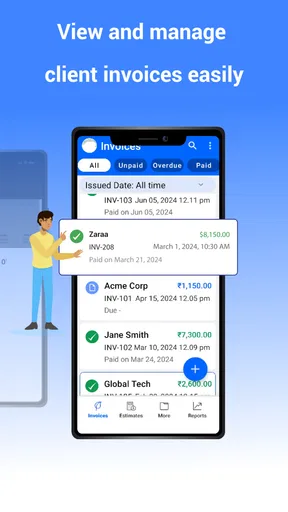
- Useful payment tracking keeps issued and unpaid invoices easy to monitor.
- Suitable for freelancers who need billing tools on a mobile device.
- Digital invoices can be shared directly with clients from the app.
Limitations of InvoiceTemple: Invoice billing
- Advanced accounting features may be limited for growing businesses.
- Some customization options could require a paid plan.
- Manual data entry can become time-consuming for frequent transactions.
- Users may need separate tools for expenses, payroll, or tax reporting.
- Cloud backup and privacy details should be checked before storing financial data.
Similar Picks in This Category
View All
LinkedIn: Community & Network
LinkedIn3.8

Zoom Workplace
zoom.com4.1

Microsoft Teams
Microsoft Corporation4.6

Meta Business Suite
Meta Platforms, Inc.4.6

Webex Meetings
Cisco Systems, Inc.4.5

TeamViewer Remote Control
TeamViewer4.4
Frequently Asked Questions
What is InvoiceTemple: Invoice billing used for?
InvoiceTemple: Invoice billing is designed to help freelancers, independent professionals, and small businesses create, manage, and send invoices from a mobile device. During testing, its main value was the ability to organize customer details, add products or services, calculate totals, and keep billing information accessible without relying on a desktop accounting program.
Can I create professional invoices with InvoiceTemple: Invoice billing?
Yes, the app is intended for creating professional-looking invoices using customizable business, customer, item, tax, discount, and payment information. Before sending an invoice, users should carefully review the company name, contact details, currency, tax calculations, due date, and payment instructions. The final appearance and available customization options may depend on the app version and selected template.
Is InvoiceTemple: Invoice billing suitable for small businesses and freelancers?
InvoiceTemple: Invoice billing can be useful for freelancers, contractors, consultants, and small businesses that need straightforward invoicing rather than a complete enterprise accounting system. It is particularly convenient for users who issue invoices regularly while working away from the office. However, businesses requiring advanced payroll, inventory management, detailed bookkeeping, or complex tax reporting may need additional software.
Does InvoiceTemple: Invoice billing support sending or sharing invoices?
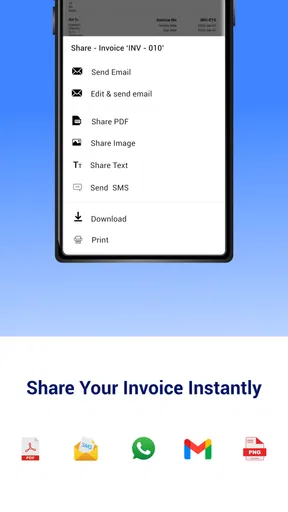
The app is built around preparing invoices that can be shared with customers through common mobile communication methods, depending on the features enabled on your device and in the current version. Users should check whether invoices can be exported or shared as PDF files, emailed directly, or sent through other installed applications. Always confirm that the recipient receives a readable copy.
Is InvoiceTemple: Invoice billing free to use?
The availability of free features, premium tools, subscriptions, advertisements, or in-app purchases can vary by platform, region, and app version. Before downloading or creating a large invoice archive, review the store listing and the pricing information shown inside the application. Pay particular attention to premium templates, export limits, cloud storage, recurring billing, and subscription renewal terms.
